Guitar Pro Player for iPhone & iPad Musicians
Import Guitar Pro files (.gp, .gp3, .gp4, .gp5, .gpx) and practice with synchronized playback, tempo control and interactive score rendering.
Practice Guitar Pro files without leaving your sheet music app
Gig is built for musicians who use Guitar Pro files as part of daily practice but still need a complete sheet music library. Many players keep PDF charts in one app, Guitar Pro tabs in another app, MIDI tools somewhere else and rehearsal notes in a separate notebook. Gig brings those workflows together so a Guitar Pro file can live next to the PDF score, the setlist entry, the Apple Pencil markings and the practice history for the same song.
The Guitar Pro player in Gig supports common tab file formats including .gp, .gp3, .gp4, .gp5 and .gpx. That matters for musicians with older libraries, tabs downloaded over many years or band arrangements shared in different versions. Instead of treating Guitar Pro as a separate category, Gig understands it as one more kind of musical material inside the same iPhone and iPad music app.
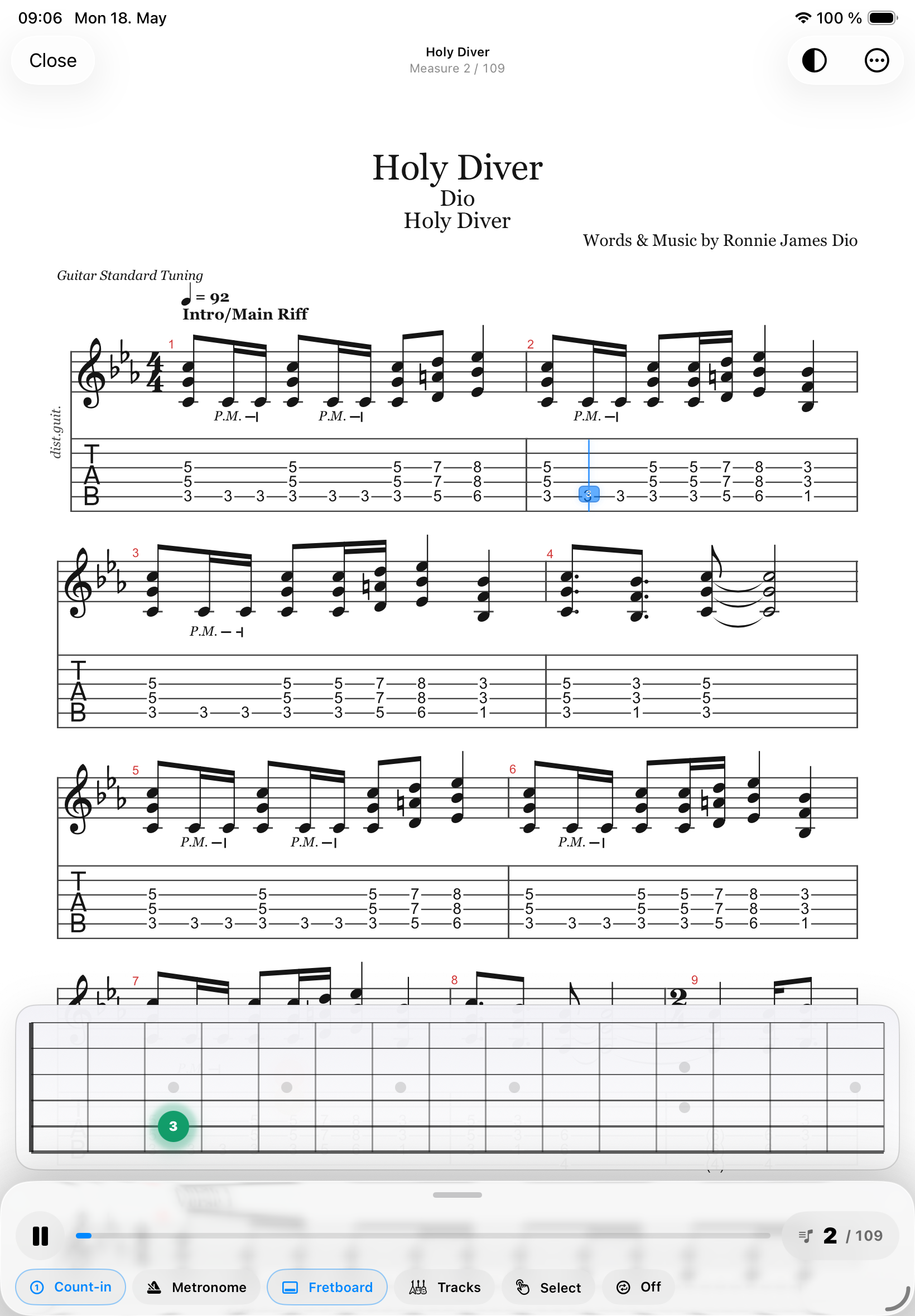
Interactive playback is the core of the experience. When you open a Guitar Pro tab, Gig can render the score and follow playback with a synchronized playhead. This gives guitarists, bassists, drummers and other musicians a practical way to see what is happening while they listen. You can focus on timing, note placement, rhythm and structure instead of guessing where the audio is in the tab.
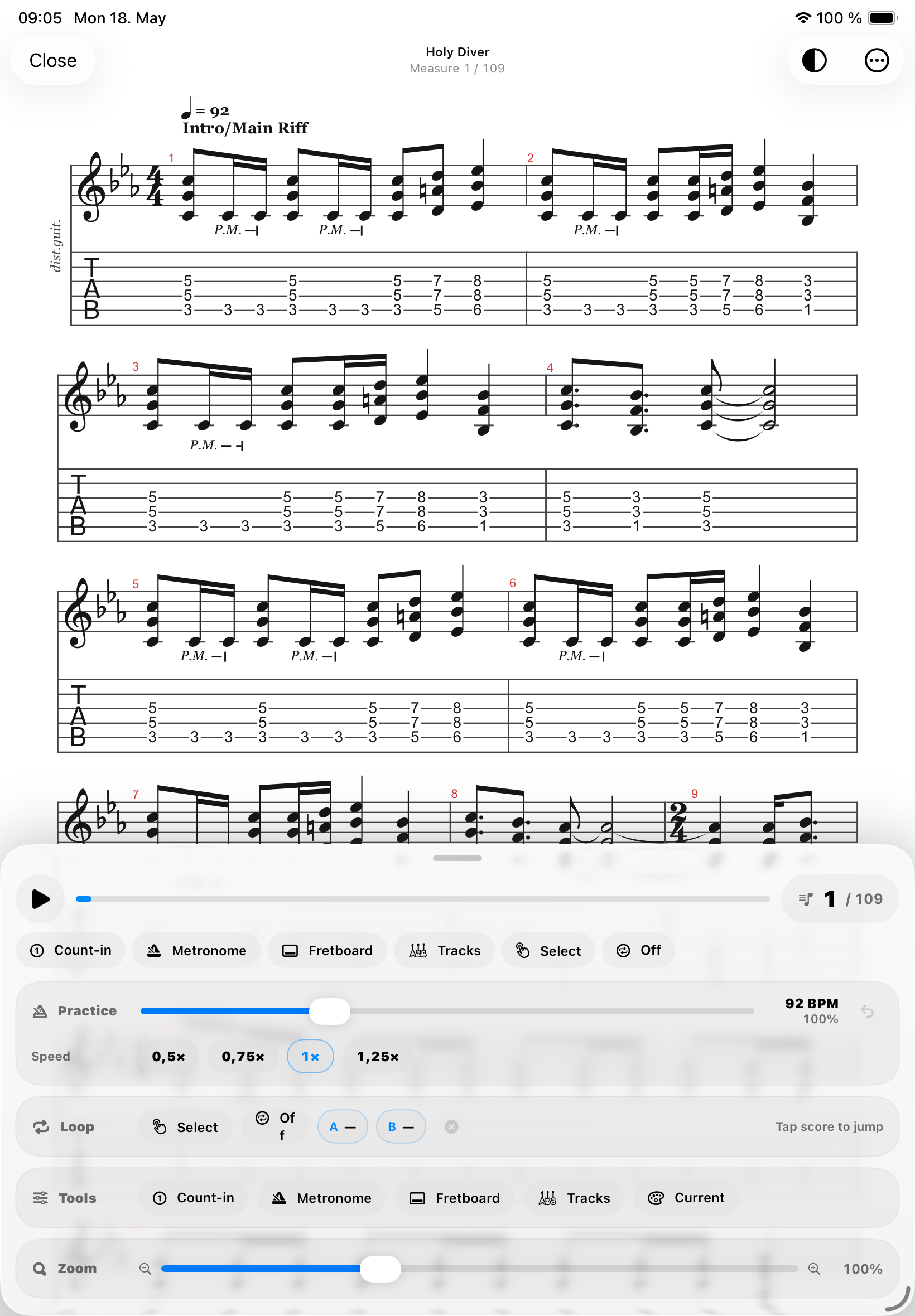
Tempo control makes the Guitar Pro workflow useful for real practice. Difficult riffs, fast bass lines, drum fills and syncopated parts rarely become comfortable at full speed on the first try. Gig lets musicians slow down passages, work in a controlled tempo range and increase speed as the part becomes stable. Looping supports the same idea: choose a section, repeat it, refine it and then reconnect it to the rest of the song.
Because Gig is also a sheet music app, the Guitar Pro player is not isolated. A song can include a PDF chart for the stage, a Guitar Pro companion for practice, notes about fingering, annotations on the score and a setlist position for the show. That makes the app useful for musicians who learn from tabs but perform from clean PDFs, or who teach lessons and want to keep practice material attached to the same song record.
MIDI playback and instrument roles also help Guitar Pro files feel more musical. Gig is designed around musician workflows, so playback is not just a novelty preview. It supports practice routines, track-based listening, metronome use and the kind of repeated focused work that players actually do. Guitar Pro becomes part of a larger practice system instead of a standalone file viewer.
For bands, teachers and solo performers, this can simplify preparation. A guitarist can import tabs, rehearse with tempo control, mark the PDF arrangement and then open the same song in a setlist during performance. A drummer can follow percussion parts, compare structure and use Live Mode for stage reading. A teacher can keep student materials together and jump from a tab to a note or score quickly.
Guitar Pro player features
- Open .gp, .gp3, .gp4, .gp5 and .gpx files.
- Practice with synchronized playback and interactive score rendering.
- Use tempo, loop and metronome controls for focused rehearsal.
- Keep Guitar Pro tabs connected to PDF sheet music and setlists.
- Use Gig as a Guitar Pro app, sheet music app and musician practice app in one place.
FAQ
Can Gig open Guitar Pro files?
Yes. Gig imports Guitar Pro files including .gp, .gp3, .gp4, .gp5 and .gpx for interactive practice on iPhone and iPad.
Can I slow down Guitar Pro playback?
Yes. Gig includes tempo controls so musicians can slow down difficult parts, build accuracy and gradually return to performance speed.
Can Guitar Pro files be used with setlists?
Yes. Gig is designed so tabs, PDFs, setlists, notes and live performance controls can work together around the same song.